
Download JPGVideo – free design & photography editor for Windows
Overview
JPGVideo is a lightweight, free design and photography program created by Ndrw for Windows users. First listed in 2012, the application has amassed more than 23,000 downloads, with a steady flow of new users each week. Targeted primarily at hobbyist photographers and graphic‑design enthusiasts, JPGVideo offers a simple yet effective set of tools for editing JPG images and creating short video slideshows. The software runs on Windows 98 and later, occupies minimal disk space, and is distributed exclusively in English. Although the user base is strongest in Germany and Finland, the program’s straightforward interface makes it accessible to anyone looking for a no‑cost alternative to heavyweight editors like Photoshop or GIMP. Updated last on June 20 2012 (version 1.04.0.0), JPGVideo remains a stable, secure option for basic image manipulation, batch conversion, and quick video compilation.
Key Features of JPGVideo
- Basic Image Editing: Crop, rotate, resize, and adjust brightness/contrast without a steep learning curve.
- Batch Processing: Apply the same edit to multiple JPG files in one click, saving time for large photo sets.
- Slide‑Show Creator: Convert a folder of images into a simple video clip with customizable transition effects.
- Watermark Tool: Add text or image watermarks to protect your work before sharing online.
- Export Options: Save edited images in JPG, PNG, or BMP formats and export videos in AVI or MPEG.
- Low Resource Footprint: Requires less than 30 MB of RAM and minimal CPU usage, making it ideal for older PCs.
- Free & No Ads: Completely free to download and use, with no hidden advertisements or trial periods.
These features collectively address the core needs of casual photographers who require a quick, reliable tool for everyday editing tasks. While JPGVideo does not venture into advanced layers, masks, or 3‑D effects, its focus on simplicity ensures that users spend more time creating and less time learning complex menus.
Installation, Usage Instructions & Compatibility
Getting started with JPGVideo is straightforward. Follow the steps below to install and begin editing:
- Download the installer from the official Ndrw website or a trusted software repository.
- Run the
.exefile; the setup wizard will guide you through license acceptance and destination folder selection. - After installation, launch JPGVideo from the desktop shortcut or Start menu.
- To edit a photo, click File → Open and browse to the desired JPG file. The main toolbar provides immediate access to crop, rotate, and color‑adjust tools.
- For batch processing, select File → Batch Edit**, choose the folder, set the desired parameters, and click Apply.
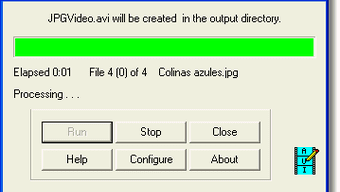
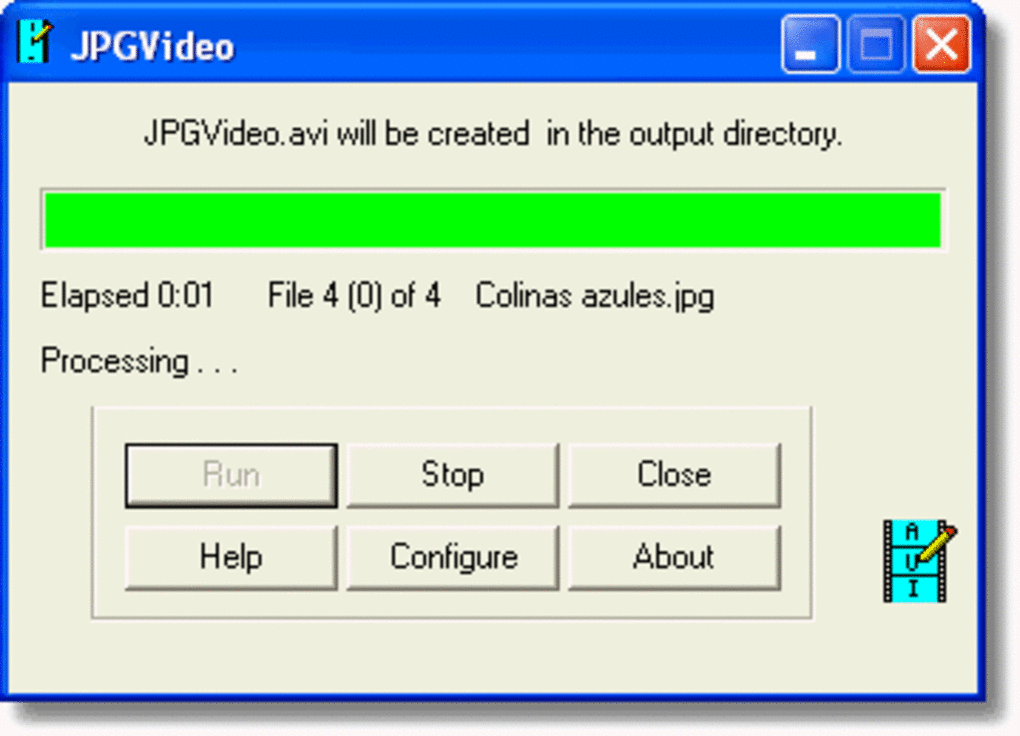
- To create a video slideshow, click Video → New Slide‑Show**, import a sequence of images, select transition style, set frame duration, and export.
JPGVideo is compatible with Windows 98, Windows ME, Windows 2000, Windows XP, Windows Vista, Windows 7, and Windows 8. Although the program was last updated in 2012, it continues to run smoothly on modern Windows 10 installations provided that the legacy compatibility mode is enabled if needed. The software does not support macOS, Linux, Android, or iOS, so Windows users looking for a cross‑platform solution will need to consider alternative apps.
Because the installer is digitally signed by Ndrw, the download is secure and free from malware. Once installed, the application does not require an internet connection, which is useful for users working in offline environments or on secure networks.
Pros and Cons – Quick Verdict
Pros
- Completely free with no hidden fees.
- Very low system requirements; runs on older Windows machines.
- Intuitive interface suitable for beginners.
- Batch processing and simple video creation are built‑in.
- No ads or trial limitations.
Cons
- Last updated in 2012, so no modern UI enhancements.
- Lacks advanced editing tools such as layers, masks, or RAW support.
- Windows‑only; no macOS, Linux, or mobile versions.
- Export formats limited to basic video containers.
- Documentation is sparse and community support is minimal.
Overall, JPGVideo shines as a lightweight, free utility for basic image tweaks and quick slideshow creation. Users who need sophisticated graphic‑design features should explore more contemporary alternatives, but for everyday photo touch‑ups on older hardware, JPGVideo remains a solid choice.
Frequently Asked Questions
Is JPGVideo really free, or does it contain hidden costs?
JPGVideo is 100 % free. There are no trial periods, no premium upgrades, and no advertisements embedded in the program. You can download and use it without any payment.Can JPGVideo handle RAW image files?
No. JPGVideo is designed primarily for JPG, PNG, and BMP formats. If you need RAW processing, you’ll have to convert the files to JPG first or use a dedicated RAW editor.Is the software safe to install on a modern Windows 10 PC?
Yes. The installer is digitally signed by the developer Ndrw, and the program has no known malware. Running it in compatibility mode may be necessary for optimal performance on Windows 10.How does JPGVideo create video slideshows?
After importing a series of images, you can choose transition effects, set the display time for each slide, and then export the result as an AVI or MPEG video file. The process is fully automated and requires only a few clicks.Will JPGVideo receive future updates?
The last official update was released in June 2012. While the developer has not announced a roadmap, the program remains functional on supported Windows versions. Users should consider alternative software if they need ongoing feature enhancements.Conclusion – Should You Download JPGVideo?
If you own a Windows PC—especially an older model—and need a quick, free tool for basic photo editing and simple video slideshows, JPGVideo is worth a download. Its low resource consumption, batch‑processing capability, and ad‑free experience make it a practical choice for hobbyists who do not require the advanced toolbox of professional editors. However, power users looking for RAW support, layered editing, or cross‑platform compatibility may find the feature set limiting.
Overall, JPGVideo delivers on its promise of being a lightweight, secure, and completely free design utility. Give it a try today and see whether its straightforward workflow fits your everyday photography needs.







